How to use ReSound hearing aids
How to turn on ReSound hearing aids
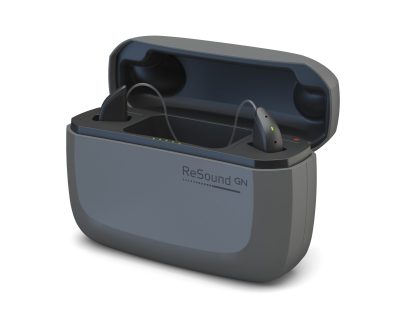
Turning on your ReSound hearing aids depends on the model. For traditional battery-powered devices, simply close the battery door to power them on. For rechargeable models like ReSound OMNIA or LiNX Quattro, press and hold the button on the hearing aid for a few seconds until the LED light flashes green. Once activated, you’ll typically hear a startup tone confirming the device is on.
How to turn off ReSound hearing aids
To turn off a ReSound hearing aid with disposable batteries, open the battery door fully. This disconnects the power and preserves battery life when the device isn’t in use.
For rechargeable models, press and hold the button until the LED indicator flashes red—this signals that the device is powering down. Alternatively, placing the hearing aids in their charging case will also turn them off automatically and begin charging.
How to turn up volume on ReSound hearing aid
Adjusting volume manually is easy on most ReSound models. If your device includes push buttons, pressing the upper button increases the volume in small steps. On some models, a beep tone will signal each increase.
For more control and customization, use the ReSound Smart 3D app on your smartphone. The app allows you to:
-
Adjust volume for each ear individually
-
Save volume preferences for specific environments
-
Monitor battery levels and connection status
This flexibility ensures you’re always in control of how your hearing aids perform in different listening situations.
My left ReSound hearing aid is not working – What to do
If your left ReSound hearing aid is not working, there are a few quick checks you can perform:
-
Ensure it’s turned on – For rechargeable models, try a manual restart. For battery models, check the battery orientation and door closure.
-
Replace the battery or charge fully – A dead battery is the most common cause.
-
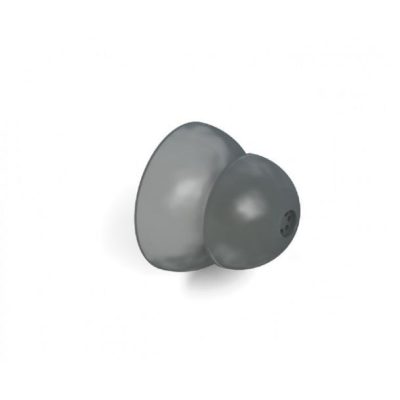
Inspect the dome and wax guard – Blockages from earwax can muffle or cut off sound completely.
-
Check the connection – Use the app to confirm both devices are paired and communicating.
-
Try a reset – Power the device off and on again or reinsert it into the charger.
If none of these steps restore function, a replacement receiver or service may be needed. At Japebo, we offer original ReSound domes, filters, receivers, and accessories to get you back to full clarity quickly.
Supporting you every day
Understanding how to use your ReSound hearing aids is the first step toward experiencing clear, confident hearing in every situation. Whether you’re just getting started or fine-tuning your daily routine, knowing how to turn your devices on and off, adjust volume levels, and troubleshoot minor issues can make a real difference in your comfort and sound experience.
At Japebo, we don’t just offer original ReSound products—we provide the tools and guidance to help you get the most out of them. From powering up your hearing aids in the morning to making volume adjustments in busy environments, we’re here to ensure that using your ReSound devices is as seamless and stress-free as possible.
Explore our complete selection of ReSound accessories, including professional-grade cleaning tools, soft and secure domes, protective wax guards, and reliable chargers. Every item is designed to help your hearing aids perform at their highest level—day after day.
Explore more ReSound guides
Want to keep improving your ReSound experience? Don’t miss our other helpful resources:
-
Learn how to pair and connect your hearing aids to smartphones and TVs
-
Follow our step-by-step guide to cleaning and maintaining your devices
-
Discover the latest models and accessories in our ReSound hearing aid overview
Your hearing, made clear—every day.