How to pair Oticon hearing aids to devices: iPhone, Android, TV, and computers
Oticon’s modern hearing aids offer seamless wireless connectivity, allowing you to stream sound directly from smartphones, televisions, and computers. Whether you’re pairing your hearing aids for the first time or need a refresher on how to connect to specific devices, this guide will walk you through the steps. Each section addresses a common query, including how to pair Oticon hearing aids to TV, iPhone, Android, and computers.
How to pair Oticon hearing aids
Pairing Oticon hearing aids is a straightforward process when using compatible devices. Most Oticon rechargeable models support Bluetooth, allowing them to connect to smartphones, tablets, and other accessories.
Before you start:
-
Make sure your hearing aids are turned on (by taking them out of the charger or closing the battery door).
-
Ensure Bluetooth is enabled on your device.
The general pairing process:
-
Open the device’s Bluetooth settings.
-
Turn your hearing aids off, then on again to enter pairing mode.
-
Wait for the device to detect your hearing aids (they will appear by name).
-
Select them to complete the pairing.
Once paired, sound from your device will stream directly to your hearing aids.
How to pair Oticon hearing aids to iPhone
To connect Oticon hearing aids to an iPhone:
-
Go to Settings > Accessibility > Hearing Devices.
-
Open and close the battery doors or remove the hearing aids from the charger to activate pairing mode.
-
Your iPhone will detect the hearing aids and display them on the screen.
-
Tap the name and confirm the pairing request.
You can now control volume and program settings directly from your iPhone.
How to pair Oticon hearing aids to Android
To pair Oticon hearing aids with an Android phone:
-
Go to Settings > Bluetooth and enable Bluetooth.
-
Activate pairing mode on the hearing aids by turning them off and on.
-
Wait for your Android device to detect the hearing aids under available devices.
-
Tap to connect.
For full functionality such as streaming and call handling, some Android devices may require the Oticon Companionapp.
How to pair Oticon hearing aids to TV
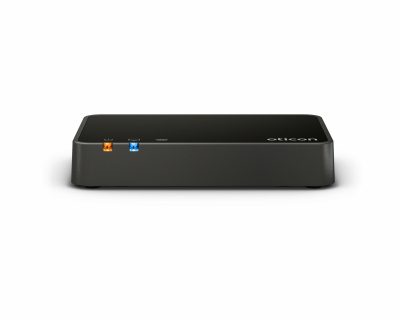
To stream audio from a television, you will need the Oticon TV Adapter:
-
Connect the TV Adapter to your TV using the provided cables.
-
Plug in the power and place your hearing aids near the adapter.
-
Press the pairing button on the adapter until the LED flashes blue.
-
The hearing aids will automatically pair — a confirmation sound will play.
Once connected, sound from the TV streams directly to your hearing aids, providing clearer speech and improved clarity.
How to pair Oticon hearing aids to computer
While not all computers support direct Bluetooth streaming to hearing aids, the following options are available:
-
Via Bluetooth: go to your computer’s Bluetooth settings and attempt to detect your Oticon hearing aids. If supported, select them to pair.
-
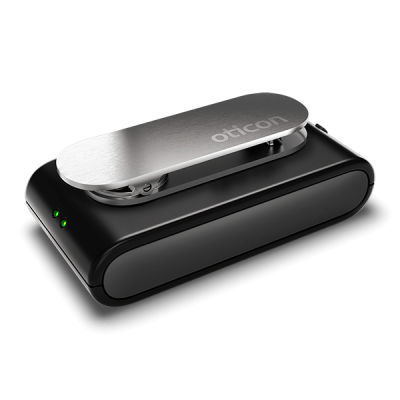
Using the Oticon ConnectClip: this accessory acts as a wireless microphone and audio streamer. Pair it with your hearing aids and then to your computer to stream audio effectively.
Oticon accessories at Japebo
At Japebo, we are proud to offer an extensive selection of genuine Oticon accessories, carefully curated to support your hearing experience with optimal performance and reliability. Whether you are looking for a replacement charger, an accessory upgrade, or simply exploring available options, you will find a comprehensive range to suit your needs. Please do not hesitate to contact us at info@japebo.xyz for personalized guidance and support on your purchase.
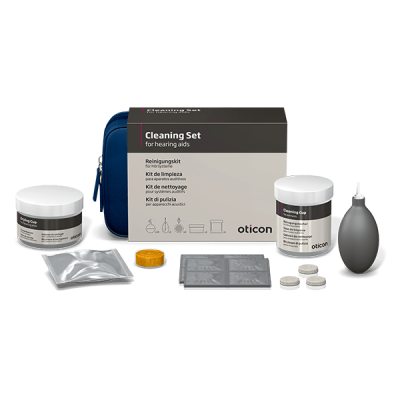
Additionally, if you wish to learn more about Oticon’s innovative hearing aid solutions before making your purchase, we invite you to visit our dedicated information page. Here, you will find detailed insights into Oticon’s technology, product families, and key features, enabling you to make an informed and confident decision. We also have a extended step-by-step guide on how to clean your oticon hearing aids.