Siemens hearing aids – pairing and connecting
How to pair Siemens hearing aids
Modern Siemens hearing aids—now produced under the Signia brand—offer excellent wireless functionality, making it easy to stay connected to the devices you rely on every day. Whether you’re streaming calls from your smartphone or enjoying your favorite show on TV, Siemens hearing aids are designed to integrate smoothly with today’s digital world.
At Japebo, we support you with original Siemens/Signia accessories and step-by-step pairing guidance to help you connect with ease and confidence.
Pairing Siemens hearing aids with iPhone or Android devices
Siemens hearing aids with Bluetooth support can be paired directly with both iPhones and Android smartphones. Here’s how to connect:
To pair with iPhone:
-
Open Settings > Accessibility > Hearing Devices
-
Ensure Bluetooth is turned on
-
Put your Siemens hearing aids in pairing mode (see below)
-
Select your hearing aids from the available devices list
-
Confirm pairing when prompted
To pair with Android:
-
Go to Settings > Bluetooth
-
Enable Bluetooth and search for new devices
-
Activate pairing mode on your hearing aids
-
Select your Siemens hearing aids from the list
-
Complete the pairing process and adjust via the Signia App if needed
For both platforms, we recommend downloading the Signia App, which offers convenient control over volume, programs, battery status, and streaming preferences.
How to put Siemens hearing aids in Pairing Mode
To start the pairing process, you need to know how to put your Siemens hearing aids in pairing mode:
-
For rechargeable models: Press and hold the button until the LED flashes or follow your model’s specific instructions.
-
For battery-operated models: Open and close the battery door to trigger Bluetooth pairing mode.
Your hearing aids will now be discoverable by nearby devices for several minutes.
Connecting Siemens hearing aids to your TV
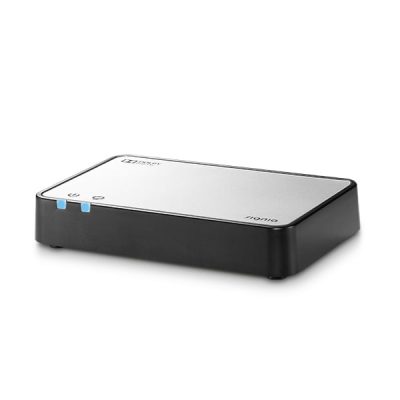
To stream high-quality audio from your television directly to your hearing aids, use the Siemens (Signia) StreamLine TV accessory. Here’s how:
-
Plug the StreamLine TV unit into your TV’s audio output
-
Power on the device and place your hearing aids nearby
-
The hearing aids will automatically detect and pair with the TV streamer
This setup ensures clear, synchronized sound without disturbing others in the room—and allows you to control volume through your hearing aids or the Signia app.
Explore more Siemens support
Continue getting the most out of your hearing experience by exploring:
-
Our complete guide to cleaning and adjusting Siemens hearing aids
-
The full Siemens hearing aids overview: pricing, manufacturing, and lifespan
-
Shop trusted Siemens-compatible accessories for everyday care and performance
Let Japebo help you hear and connect—every step of the way.